Data Center vs Cloud: A Practical Comparison for 2026
Data center vs cloud explained clearly. Compare cost, scalability, latency, compliance, and control to choose the right infrastructure for your workload.
15 min read
The most popular advice about data center vs cloud is usually wrong because it treats them as opposing infrastructures. Public cloud capacity still runs on physical servers, in physical facilities, connected to physical networks and constrained by local power, cooling, land, and regulation. The practical decision isn't whether a business should “leave the data center behind.” It's whether a workload belongs on owned hardware, in colocation, or inside a public cloud region.
That distinction matters more in 2026. Global data center power capacity rose from 26 GW in 2015 to 81 GW in 2024, a 211% increase, and one industry forecast projects 222 GW by 2030 (Straits Research analysis). Cloud adoption has increased the need for physical capacity rather than eliminating it. A sound comparison therefore starts with ownership, placement, utilization, and regional constraints.
Table of Contents
- Why Data Center vs Cloud Is the Wrong Question
- What On-Premises and Cloud Actually Mean
- Side-by-Side Comparison at a Glance
- Cost Structures That Actually Decide the Choice
- Latency, Performance, and Where Workloads Run Best
- The Hidden Trade-Off Between Water and Power
- Matching Workloads to the Right Hosting Model
- Decision Framework and Common Questions
Why Data Center vs Cloud Is the Wrong Question
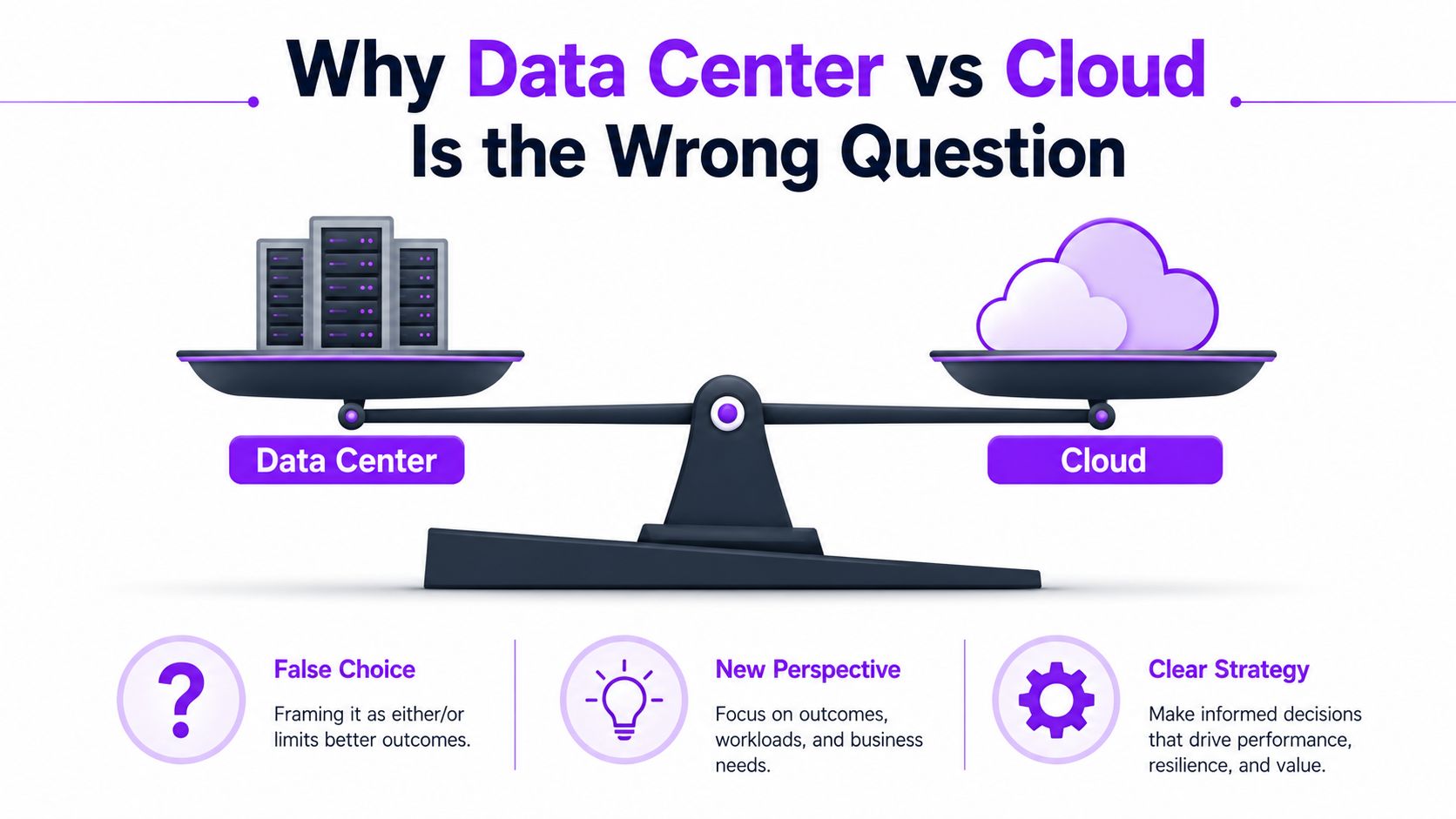
Cloud computing is a commercial and operational model built on data center infrastructure. A public cloud customer rents compute, storage, networking, and managed services, but the underlying capacity still sits in a facility somewhere. A private data center, a colocation suite, and a public cloud region are different ways to access and control that physical layer.
The scale of that physical layer has expanded alongside cloud demand. The same industry analysis that recorded the increase from 26 GW to 81 GW connects the buildout with cloud computing and AI workloads, while forecasting 222 GW by 2030 (Straits Research analysis). A separate global assessment projects installed data center capacity to reach 60.6 GW by 2027, with demand reaching 53 GW in that year and capacity growing at a 15.9% CAGR from 2024 to 2027 (Straits Research cloud data center market report).
Those figures change the buyer's question. A company isn't choosing between “cloud” and “no data center.” It's choosing who finances the hardware, who operates the facility, who absorbs expansion risk, and where the workload runs.
Cloud growth increases physical dependence
Cloud spending is expected to grow 19% through 2028, a trend that directly supports further investment in the infrastructure serving cloud workloads (Alvarez & Marsal Global Data Centre Insights 2024). APAC data center demand is projected to reach 16.3 GW by 2027, with regional growth of 20.5% over that period, showing that this buildout isn't limited to one mature market (Alvarez & Marsal Global Data Centre Insights 2024).
The implication is easy to miss. Cloud may hide the facility from the customer, but it doesn't remove the facility's constraints. Power availability, grid connection timelines, cooling architecture, water stress, and local permitting still shape what cloud providers can offer and where they can offer it.
Practical rule: Compare hosting models, not abstract labels. The useful options are owned infrastructure, rented physical capacity, and rented virtualized capacity.
A workload that moves from an owned server room to colocation has changed its ownership and facility model, but not its dependence on hardware. A workload that moves to public cloud gains a different billing and operations model, but remains tied to a region's physical footprint. That framing produces better decisions than asking whether cloud has made data centers obsolete.
What On-Premises and Cloud Actually Mean
On-premises infrastructure means a company buys or leases servers, storage, network equipment, and supporting systems, then houses and operates them in a facility it controls. That facility might be a corporate server room or a dedicated data center. The company carries responsibility for capacity planning, maintenance, physical security, power resilience, cooling, hardware refreshes, and operational staffing.
Colocation separates the facility from the equipment. A customer rents rack space, power, cooling, connectivity, and physical security from a specialized operator, while retaining ownership or control of the servers. Colocation can reduce facility complexity without forcing every workload into a provider's virtualized service model. A directory of facilities and markets can help teams compare possible physical locations through global data center listings.
Private and public cloud
A private cloud is a virtualized environment dedicated to one organization. It may run on owned hardware or on equipment installed in colocation. Private cloud describes the way resources are pooled and delivered, not necessarily who owns the building.
A public cloud provides shared infrastructure through a service model. Customers consume virtual machines, containers, storage, databases, and other services without buying the underlying equipment. The provider manages the physical estate, while the customer manages the workload configuration and the parts of security assigned to the customer.
Hybrid and multi-cloud patterns
Most mature estates use a mixture. A hybrid architecture connects private infrastructure with public cloud services, allowing data and workloads to move or interact across both environments. A multi-cloud architecture uses more than one public provider or combines public services with colocation and private systems.
That vocabulary prevents a common analytical error. “Migrating to cloud” can mean replacing owned servers with rented virtual capacity, moving equipment to a colocation facility, or adopting managed services. Each option changes cost exposure, control, portability, and operational responsibility differently. The workload, not the label, determines whether the change is sensible.
Side-by-Side Comparison at a Glance
The basic matrix below compares the three most practical deployment choices. Private cloud and hybrid designs can sit across more than one column, because they describe architecture layered over infrastructure rather than a single physical location.
| Dimension | On-Premises | Colocation | Public Cloud |
|---|---|---|---|
| Ownership | Organization owns or controls equipment and facility | Organization controls equipment, provider operates facility | Provider owns and operates infrastructure |
| Scalability | Planned procurement and installation | Physical expansion through rented capacity | Rapid virtual or service-level expansion, subject to regional availability |
| Cost model | Upfront capital plus operating costs | Equipment capital plus recurring facility charges | Usage-based operating expense and service charges |
| Control | Highest control over hardware, placement, and operations | Strong hardware control, less facility control | Less physical control, extensive software and service controls |
| Compliance posture | Direct governance over physical environment | Shared responsibility with facility operator | Shared responsibility with cloud provider |
| Latency profile | Predictable for local users and systems | Predictable when the site is well chosen | Depends on region, network path, and service placement |
Ownership determines responsibility
On-premises provides the most direct control, but control comes with obligations. The organization must forecast demand and fund capacity before workloads need it. Colocation keeps much of the hardware control while transferring building operations to a specialist.
Public cloud reverses that balance. The provider owns the physical estate and exposes capacity through software interfaces. That reduces facility work, but the customer accepts provider-defined service boundaries, regional choices, pricing mechanics, and dependency on the provider's operational model.
Scalability is not the same as availability
Public cloud usually makes short-term expansion easier because virtual resources can be requested without a new equipment purchase. That doesn't guarantee unlimited capacity in every region or for every accelerator class. Physical supply, power availability, and provider capacity still matter.
Colocation scales through additional racks, power commitments, and network arrangements. On-premises scaling is slower because procurement, installation, commissioning, and facility preparation sit directly with the organization. For stable workloads, that slower process can be manageable. For volatile workloads, it can become a constraint.
Control and compliance require evidence
On-premises offers the clearest physical chain of custody. Colocation introduces a facility partner but can preserve dedicated equipment and tightly defined access controls. Public cloud can support rigorous compliance programs, yet responsibility is divided between provider controls and customer configuration.
Latency follows placement rather than branding. A well-positioned private or colocated deployment may outperform a distant cloud region, while a nearby cloud region may outperform poorly connected private infrastructure. The matrix is a starting point, not a procurement decision.
Cost Structures That Actually Decide the Choice
Cost comparisons fail when they compare a monthly cloud invoice with a server purchase and stop there. A credible analysis uses total cost of ownership across the workload's expected life, including equipment, facilities, power, cooling, networking, software, staffing, maintenance, migration, backup, and exit costs.
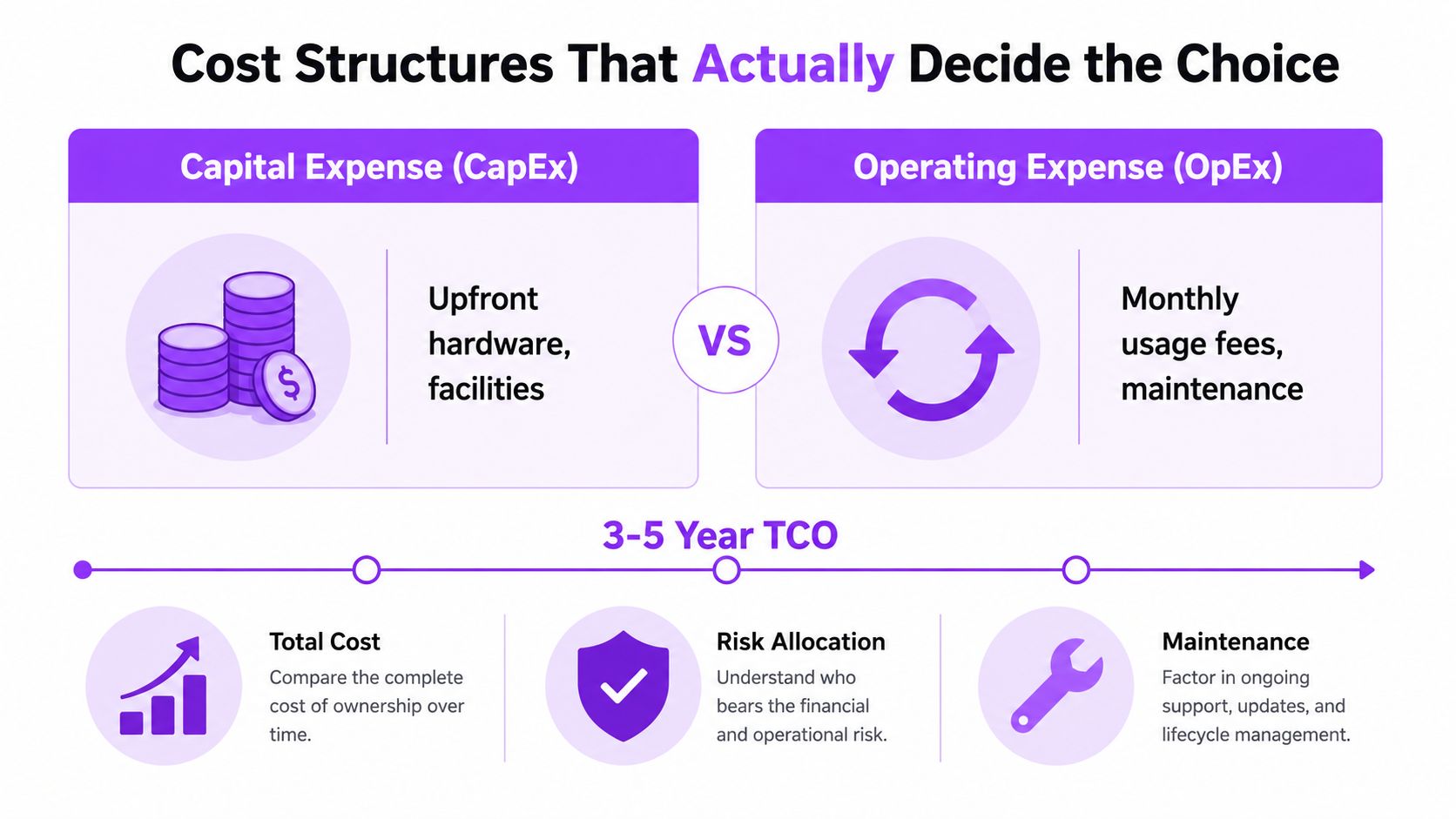
Capital expense is concentrated earlier. Owned infrastructure requires equipment and facility commitments before the workload generates value. Colocation still requires hardware investment, but it replaces facility construction and operation with recurring charges.
Operating expense spreads payment over consumption and service duration. Public cloud reduces the need for upfront equipment, but recurring charges can remain high when workloads run continuously, retain large data volumes, transfer data frequently, or consume premium managed services.
Utilization changes the answer
A steady workload that runs predictably can make owned or colocated equipment financially attractive because the organization uses the asset consistently. A bursty workload can make public cloud more practical because the customer avoids buying enough hardware for the peak and paying to keep it available during quiet periods.
The analysis shouldn't rely on a universal utilization threshold. It should measure actual demand by hour, identify idle capacity, and model growth rather than assuming an average. A private environment also needs enough headroom for failure, maintenance, and unexpected demand, so nominal hardware utilization isn't the same as usable economic utilization.
A useful comparison asks not only what capacity costs, but how much of that capacity produces billable or mission-critical work.
Hidden charges alter total cost
Public cloud estimates often omit data transfer, backup retention, observability, support, security tooling, and the engineering time required to control consumption. Private models often omit facilities staff, replacement planning, spare equipment, software licensing, and the cost of underused capacity.
A practical model should compare the same workload across owned infrastructure, colocation, and public cloud for a consistent planning horizon. It should include the cost of migration in both directions, because reversibility has a financial value even when a move never occurs.
The decision rule is straightforward. Stable, long-lived, well-understood demand deserves an owned or colocated model in the financial model. Unpredictable demand, rapid experimentation, and temporary peaks deserve a public cloud model. Hybrid placement often wins when a workload has a stable core and volatile edges.
Latency, Performance, and Where Workloads Run Best
Cloud and data centers are not opposing choices. Public cloud capacity still runs in physical data centers. The practical question is which workloads belong on owned hardware, in colocation, or in a public cloud region, based on response time, traffic patterns, and operational control.
Proximity matters, but “edge is faster” is too broad to guide architecture. A latency measurement study found that 58% of end users could reach a nearby edge server in under 10 ms, compared with 29% reaching that latency from a nearby cloud location. Edge servers delivered lower latency to 92% to 97% of end users across different cloud providers.
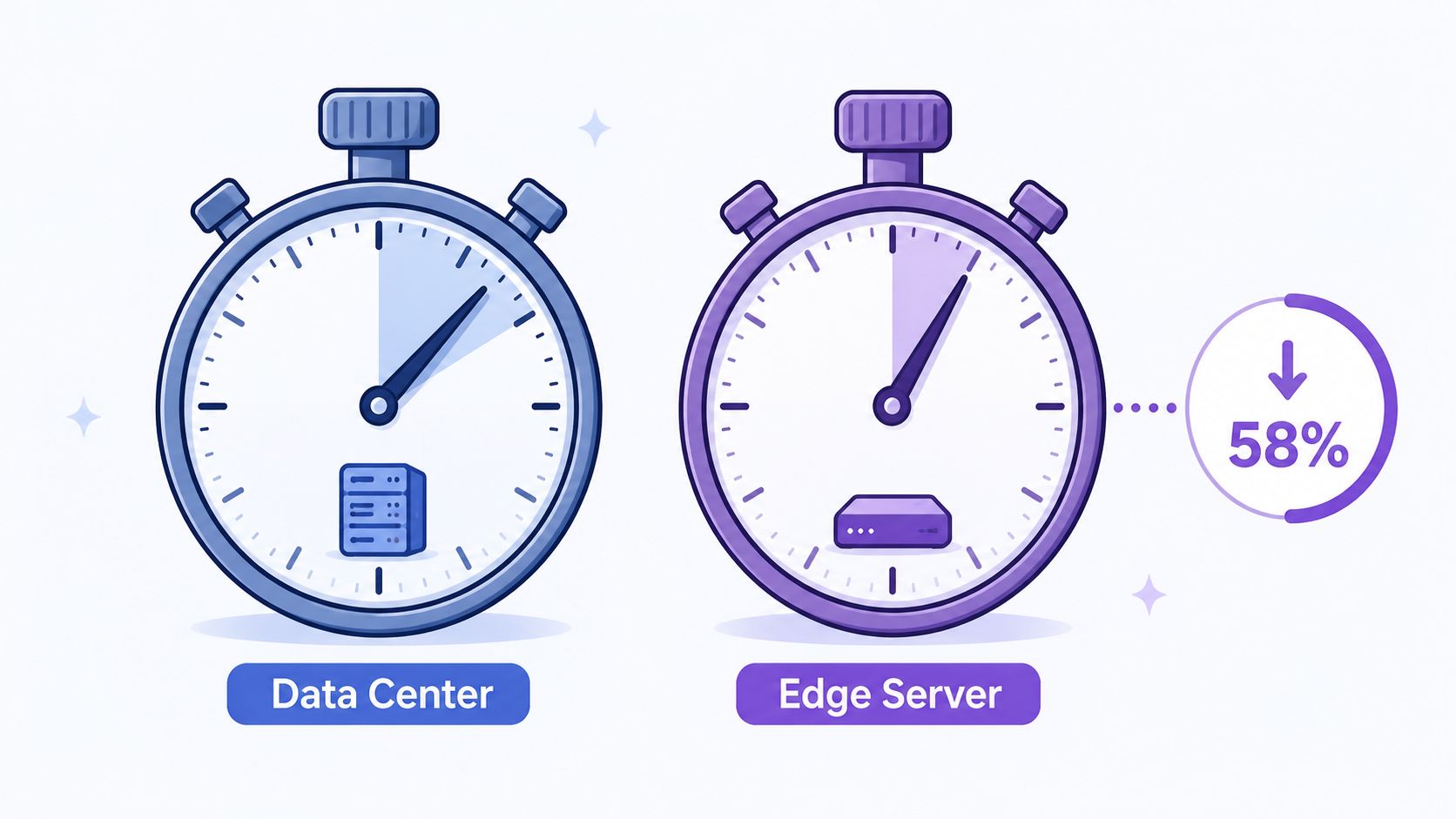
Those findings support edge placement for applications that react directly to user input. Interactive gaming, industrial control, local computer vision, and some transactional APIs can benefit when application servers sit near users or devices. Physical location, network connectivity, and interconnection options can matter as much as compute specifications. A concrete facility reference is the Microsoft data center campus in Middenmeer.
Edge proximity has a performance limit
A separate academic edge performance study complicates the proximity argument. At moderate utilization between 40% and 60%, some edge applications experienced worse mean and tail latency than cloud applications because congestion and resource contention outweighed the distance advantage.
The operational lesson is direct. A nearby server with insufficient capacity, poor scheduling, or congested connectivity can produce a worse user experience than a more distant, better-managed cloud location. Testing should measure tail latency, not only averages, and repeat under realistic load.
Workload behavior sets placement
Real-time applications need predictable response and often suit edge or regional colocation. Video processing may split ingestion near users from batch rendering in centralized capacity. Batch analytics usually values throughput, storage access, and price more than the shortest network path.
Public cloud fits workloads with rapidly changing demand and geographically dispersed users. Colocation suits applications needing consistent network proximity, dedicated hardware, or stable throughput without operating a full facility. Latency is a placement variable, not a generic argument for or against cloud.
The Hidden Trade-Off Between Water and Power
Environmental comparisons often reduce the question to electricity, but cooling design can shift pressure between water and power. Water-based cooling can reduce electricity demand, while air-based cooling can conserve water but increase electricity use. The better choice depends on local water stress, grid conditions, climate, and the workload's heat density.
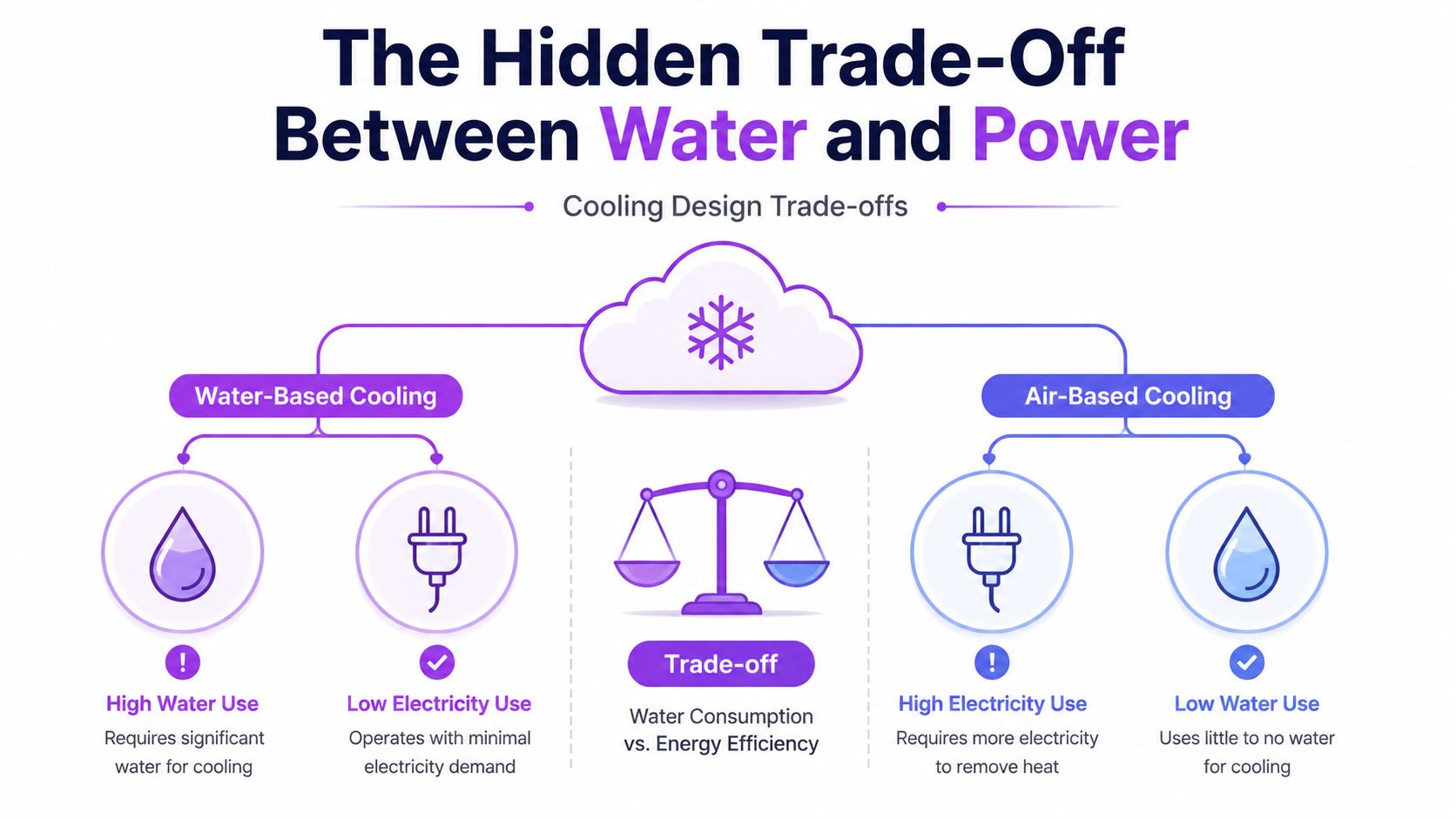
The issue is becoming harder to ignore as AI workloads increase resource demand. U.N. researchers expect data centers to consume twice as much power and water by 2030, according to reporting summarized in the MSCI analysis of AI, water scarcity, and data centers. The same source cites a World Bank estimate that indirect water use can account for 80% or more of total water use in some contexts (MSCI analysis of AI, water scarcity, and data centers).
Geography changes the environmental answer
A facility using less electricity isn't automatically the better local choice if it draws heavily on a stressed water supply. Conversely, a dry cooling design may reduce direct water demand while increasing electricity consumption, potentially shifting impacts to the grid and its generation mix.
Public cloud doesn't eliminate this assessment. It may provide access to more efficient facilities, but the customer still needs to understand the region hosting the workload. A private deployment can offer more visibility into cooling decisions, while colocation requires careful review of operator disclosures and site conditions.
A facility directory with local context, such as the Green Datacenter ZRH3 facility profile, can support location research, but sustainability decisions still require disclosed or verified operational data.
AI changes site selection
AI infrastructure makes power density and cooling access central design constraints. The acceptable choice is no longer the option with the lowest apparent energy use. It is the option whose combined cooling, electricity, water, and regional impact fits the organization's requirements and the host community's limits.
That standard can favor different models in different regions. A cloud region with efficient infrastructure may be preferable for one workload, while colocation or owned equipment may be more defensible where public capacity is constrained or location-specific requirements dominate.
Matching Workloads to the Right Hosting Model
A regulated financial workload with strict residency requirements may belong on dedicated infrastructure in a controlled facility, either owned or colocated. That model can make physical boundaries, audit evidence, and access procedures easier to define. It won't remove compliance work, but it can reduce uncertainty about where equipment sits and who can access it.
An AI training cluster presents a different problem. Large, parallel jobs need substantial compute, networking, and power, so a hyperscale region with suitable capacity may be practical for burst training. If training becomes continuous, data sovereignty tightens, or regional capacity remains difficult to secure, dedicated colocated infrastructure can become more attractive.
Four workload examples
- Retail APIs: Public cloud can suit customer-facing APIs with unpredictable traffic, especially when rapid expansion matters more than fixed hardware economics.
- Latency-sensitive gaming: Edge or regional colocation can reduce network distance for interactive sessions, provided capacity planning prevents contention.
- Sensitive analytics: Private infrastructure can provide tighter control over data location and processing boundaries.
- Long-running batch jobs: Colocation or owned hardware deserves a serious financial comparison when demand is stable and predictable.
The contrarian pattern in 2026 is that some workloads are moving back toward private infrastructure or colocation. TeleGeography reports that cloud region launches peaked at more than 40 in 2019, then fell to 13 in 2024 and 16 in 2025 (APMdigest 2026 data center predictions). That slowdown doesn't prove that cloud demand is declining. It suggests that geographic expansion is becoming harder, while power and site constraints influence where capacity can be added.
The recommendation is situational. Start with the workload's data sensitivity, demand shape, latency target, and regional resource requirements. Then compare public cloud, colocation, and owned infrastructure against those constraints instead of assuming that migration in either direction is automatically progress.
Decision Framework and Common Questions
A repeatable decision can use four filters:
- Workload behavior: Identify steady, bursty, interactive, and batch demand.
- Data sensitivity: Define residency, control, audit, and isolation requirements.
- Utilization profile: Model actual demand, idle capacity, growth, and failure headroom.
- Regional constraints: Check power availability, cooling design, water stress, connectivity, and permitting.
Does sovereignty require on-premises? Not always. Colocation and selected cloud regions may satisfy requirements, but evidence must match the specific jurisdiction and workload.
Is hybrid a compromise? It can be a deliberate architecture. Stable systems can remain on dedicated infrastructure while elastic services use public cloud.
When should the choice be revisited? Reassess after major workload changes, pricing changes, facility constraints, regulatory changes, or new AI requirements.
Does AI always favor cloud? No. AI can increase the value of elastic capacity, but sustained compute, sovereignty, latency, cooling, and power constraints can favor colocation or owned infrastructure.
Data Centers List offers a searchable directory and interactive map covering facility locations, operators, operational status, planned projects, under-construction sites, and disclosed or AI-estimated IT power capacity. Visit Data Centers List to compare markets, review physical infrastructure, and add regional context to a data center versus cloud decision.